How Home Office Lighting Affects Fatigue at Work, and What to Do About It

In this article
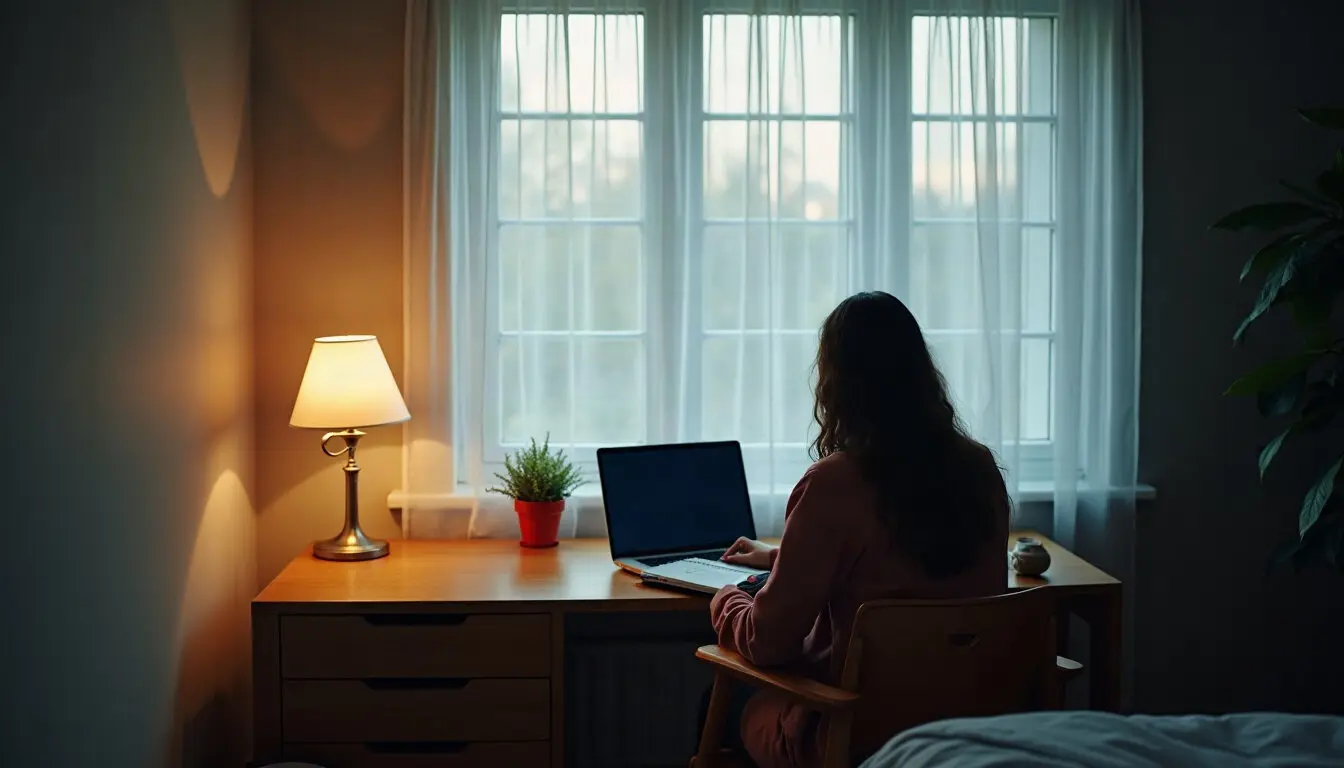
The spare bedroom looked like a perfect office in the morning. By three o'clock, the low winter sun came straight through the window and onto the screen, and by five the only light left was a single ceiling fixture that turned the desk into a pool of yellow and shadow. Plenty of remote workers know this room. When the fix goes beyond a new lamp, what should you ask a Colorado Springs electrician before any new fixtures go in? That question comes later in this piece.
First, the bigger picture. Lighting is one of the quiet conditions that shapes a working day at home, and employers with remote and hybrid staff often have no idea what their people are working under. This article looks at how to assess home-office lighting, why it matters for fatigue and focus, what employers and employees can change, and how to tell whether the change helped.
Pulse check
- Do you know what kind of space your remote employees work in each day?
- Has anyone on your team mentioned glare, eye strain or headaches during long video calls?
- Does your remote-work policy say anything about the home workspace beyond equipment?
What to look at
Lighting in a home office is rarely planned. Most people set up wherever there's room: the kitchen table, a corner of the bedroom, a converted closet, the basement. Each one comes with its own light, and it changes through the day.
The things worth noticing are simple:
- Daylight and its direction. A window behind the screen causes glare; a window behind the person makes them a silhouette on camera. A window to the side is usually the kindest.
- The light that's left after dark. A single overhead fixture leaves the desk in its own shadow. In winter, many people finish work in that light.
- Contrast between the screen and the room. A bright screen in a dim room is tiring to look at for hours.
- Flicker, buzzing or failing fixtures. Old or failing lights are distracting, and buzzing or flickering can also be a sign of an electrical issue that needs a professional's attention.
- Too few outlets in the right place. Extension leads snaking across the floor to reach a desk lamp say a lot about how the room was set up.
In the office, someone usually owns the lighting. At home, the employee does, often without much thought. A short, friendly question in a one-to-one ("How's the light in your workspace these days?") tends to surface more than any form.
For hybrid staff, it's worth comparing the two places they work. Many people describe the office as tiring and home as restful, but the lighting can run the other way: an office floor with even overhead light and blinds on every window, against a home desk wedged into whatever corner was free. Someone who feels drained after their home days, and can't say why, may simply be working in poorer light. In a sunny place like Colorado Springs, bright, low-angled sun through an unshaded window can be as much of a problem as gloom, especially in the winter months when it comes in under the eaves.
What it tells you
The evidence here is reassuringly ordinary. Poor lighting is widely recognized as a cause of eye strain, headaches and a general sense of tiredness, especially for people who spend long hours on screens. Occupational health guidance has long recommended reducing glare, balancing screen brightness with the room and making good use of daylight. None of this is new, and none of it requires special equipment to understand.
Daylight also affects how the day feels. Working in a dim room through the short days of winter can leave people feeling flat by mid-afternoon, and many find that sitting near a window helps. That's a general observation, not a treatment for anything. Anyone who notices persistent low mood during the darker months should talk to a doctor or their employee assistance program.
The point for employers is that lighting problems are easy to miss and easy to fix, which makes them worth checking. A remote employee squinting through glare every afternoon won't necessarily mention it. They'll just be more tired at four o'clock than they need to be.
What to change
Changes run from rearranging the furniture to bringing in a professional. Most people only need the first few.
| Option | What it changes | Who does it | Effort |
|---|---|---|---|
| Turn the desk so the window is to one side | Cuts glare and backlighting | The employee | Low |
| Add a desk lamp and soft fill light | Even light after dark, less contrast with the screen | The employee, with an equipment allowance | Low |
| Add curtains or blinds that diffuse daylight | Softer light without losing the window | The employee or homeowner | Low to moderate |
| Replace failing or flickering fixtures | Steady light and fewer distractions | Licensed electrician | Moderate |
| Add new fixtures, circuits or outlets for the workspace | Light and power where the desk actually is | Licensed electrician | Significant |
What the employer can do
Employers don't control anyone's home, but they can make good lighting easier. If your remote-work policy covers equipment, consider whether a good desk lamp belongs on the list alongside the monitor and chair. Include a short note on setting up a workspace in onboarding materials, with the window and glare advice above. And make it normal to mention problems: someone who says "the light in my room gives me a headache" should hear "let's sort that out," not "everyone deals with that."
When it's a job for a professional
Anything beyond plugging in a lamp belongs with a licensed electrician: new ceiling fixtures, recessed lighting, extra circuits, additional outlets, or tracking down why lights flicker or buzz. This is not a weekend project for the employee or a handy friend, and it's worth saying so plainly in any guidance you share.
For a remote worker who owns their home and wants a proper workspace, a few questions help when talking to an electrician:
- What would you recommend for even, low-glare light over a desk used for screen work?
- Can the room's existing wiring and panel handle the additions, or does anything need to be checked first?
- Are permits needed? (A good electrician will know, or will check with the local building department.)
- What will the room look like at night once the work is done?
A good electrician will look at the room in use, explain what they'd change and why, and won't push work the space doesn't need.
What the employee can do today
Even without any spending, small moves make a difference: turning the desk, lowering screen brightness in the evening, taking a short break near a window in the afternoon, and switching on a second light source instead of relying on the overhead fixture alone.
How to tell it worked
Lighting changes tend to show up in small ways rather than dramatic ones. Over the next few weeks, look and listen for:
- Fewer mentions of tired eyes or headaches in one-to-ones and casual check-ins.
- Better camera presence. People who used to appear as silhouettes or in shadow now look like themselves on calls, which also makes meetings feel more natural.
- Steadier energy late in the day, noticed by the employee rather than measured.
- People asking about the setup. When one person improves their lighting, colleagues often ask what they did. That's a good sign the idea is spreading.
It's worth checking again as the seasons turn. A workspace that's fine in June can be a different room in December, when the light goes early and the sun sits low.
The first change to make
This week, add one question to your next round of one-to-ones with remote staff: "What's the light like where you work, morning and evening?" The answers will tell you who needs a lamp, who needs to move their desk, and who might need a professional to look at the room. Good light won't make a hard week easy, but it takes one avoidable strain off the people doing the work.